Download OTA Update Blocker Profile for iPhone and iPad
A simple way to block iOS & iPadOS updates from automatically installing on your iPhone or iPad, allowing you to keep your current firmware.
⬇ DOWNLOAD OTA BLOCKERInstall OTA Update Blocker Profile
- Open this page in Safari and tap the button above to download the OTA Update Blocker profile.
- Tap "Allow" if prompted.
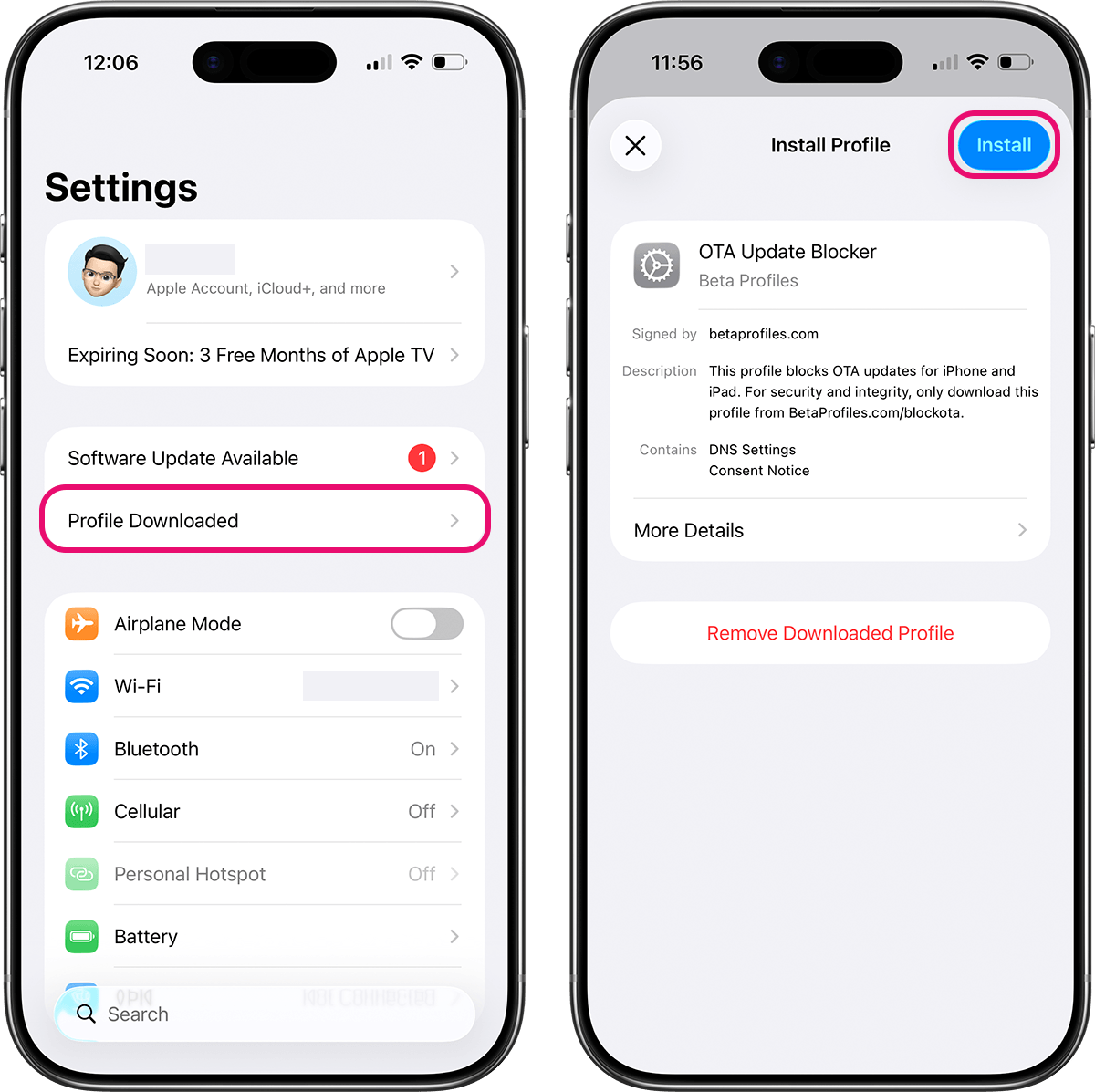
- Go to Settings, and tap Profile Downloaded at the top.
- If you don't see the Profile Downloaded menu, go to General → Profile & Device Management (or VPN & Device Management).
- Tap Install in the upper right corner.
- Enter your passcode if prompted.
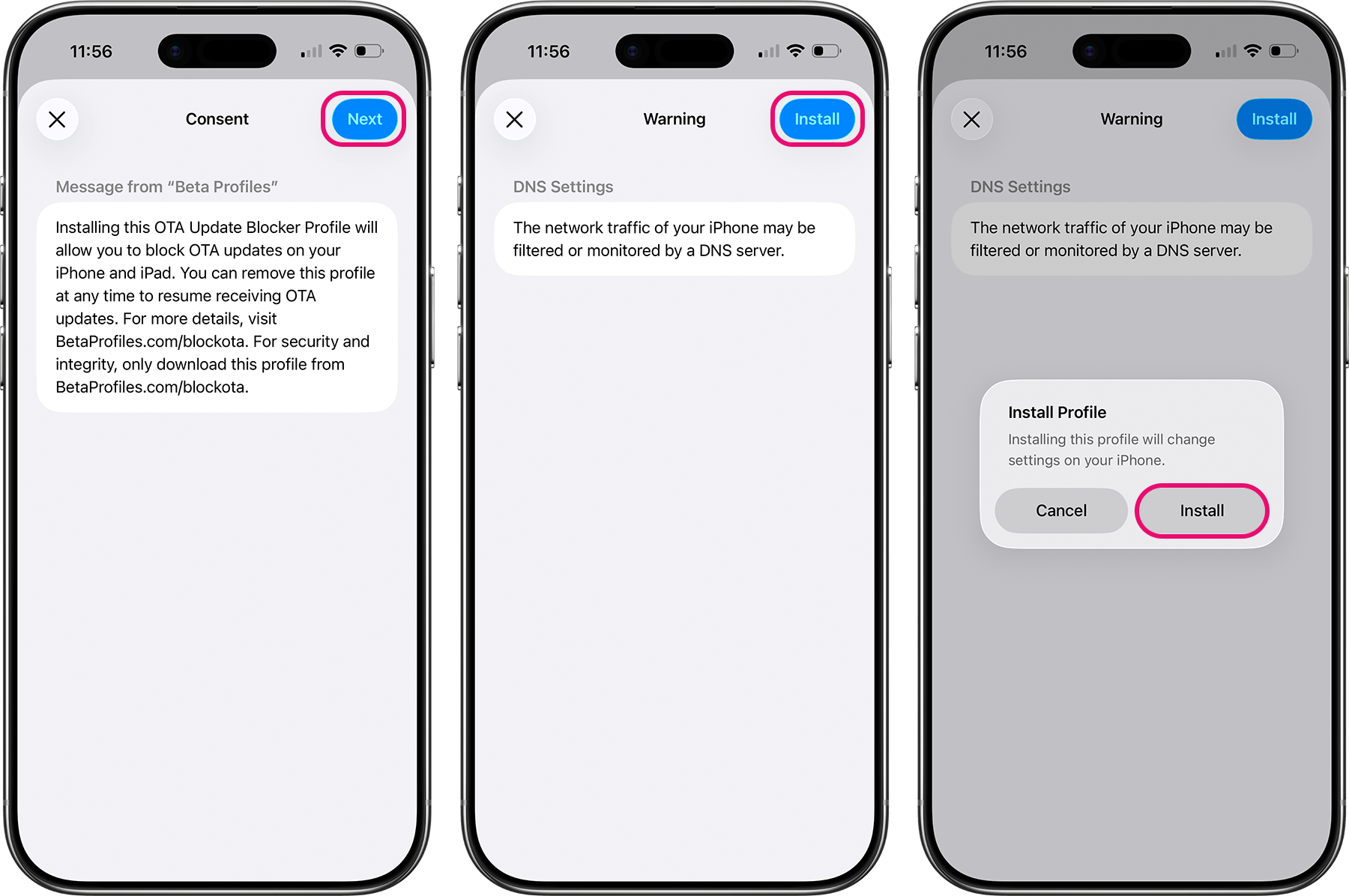
- Tap Next, then tap Install in the upper right corner.
- Tap Install again to confirm.
Compatible with iOS 26+ and later.
After installing the profile, go to Settings → General → Software Update. If you see "Unable to Check for Update," it means updates have been successfully blocked.